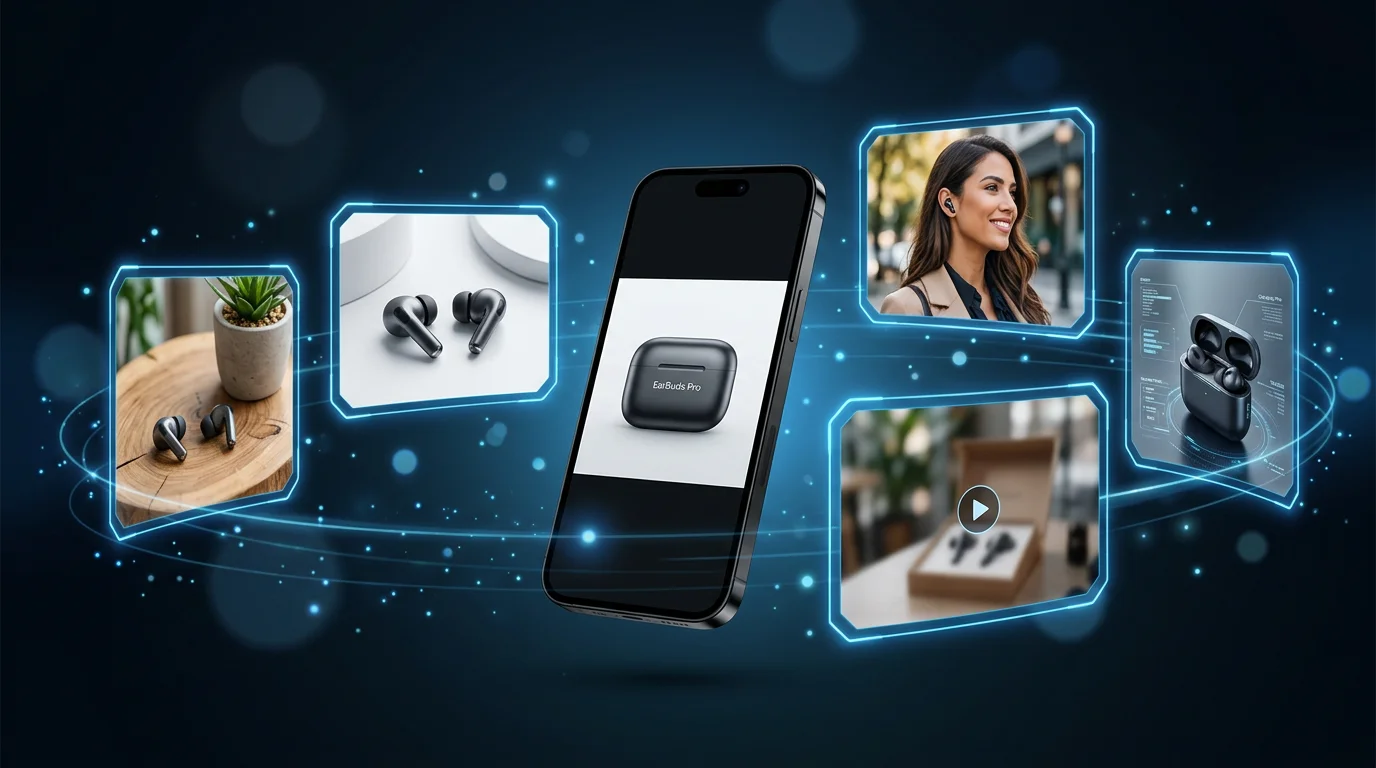
In 2024, AI product photography was a novelty. By 2026, it's the default for any ecommerce brand that understands unit economics. The math is simple: traditional product photography costs $50–$150 per image and takes 1–2 weeks. AI generates comparable results in 60 seconds at $0.15 per image. For a catalog with 100 SKUs at 5 images each, that's $500 in AI versus $25,000–$75,000 in traditional photography.
But "AI product photography" is a broad term. This guide covers the different types, the tools available, where AI excels, where it still has limitations, and the practical workflow for integrating AI photography into your ecommerce operations.
How AI product photography works
Modern AI product photography tools use a combination of techniques:
Background removal
The first step in almost every AI product photography workflow. AI models trained specifically for background segmentation (like Segment Anything and specialized ecommerce models) identify the product boundary and cleanly separate it from the background. Quality has improved dramatically—current generation models handle complex shapes, transparent products, and fine details like hair or fur without the "halo" artifacts common in earlier tools.
Background generation
Once isolated, your product is composited into a new background using generative AI (typically diffusion models like Stable Diffusion or FLUX). The AI handles perspective, lighting matching, and shadow generation—making the product look as if it was photographed in the target environment. You can specify environments in natural language: "white studio background," "marble kitchen counter with soft natural light," "gym with morning sunlight."
On-model generation
The most technically complex capability. AI generates a digital model appropriate for your product category, places your product on the model (ring on finger, shirt on body, bag on shoulder), and outputs a photorealistic result. Quality varies by product type—clothing still benefits from real model shots, but accessories, jewelry, and beauty products work well with AI models.
Image-to-video
The newest capability in AI product photography. Tools like FlowPic take your product image and generate a 3–10 second video—the product rotating, appearing in a lifestyle scene, or being "used" by an AI-generated model. These short clips are purpose-built for paid social advertising (Meta, TikTok) and product video listings on Amazon.
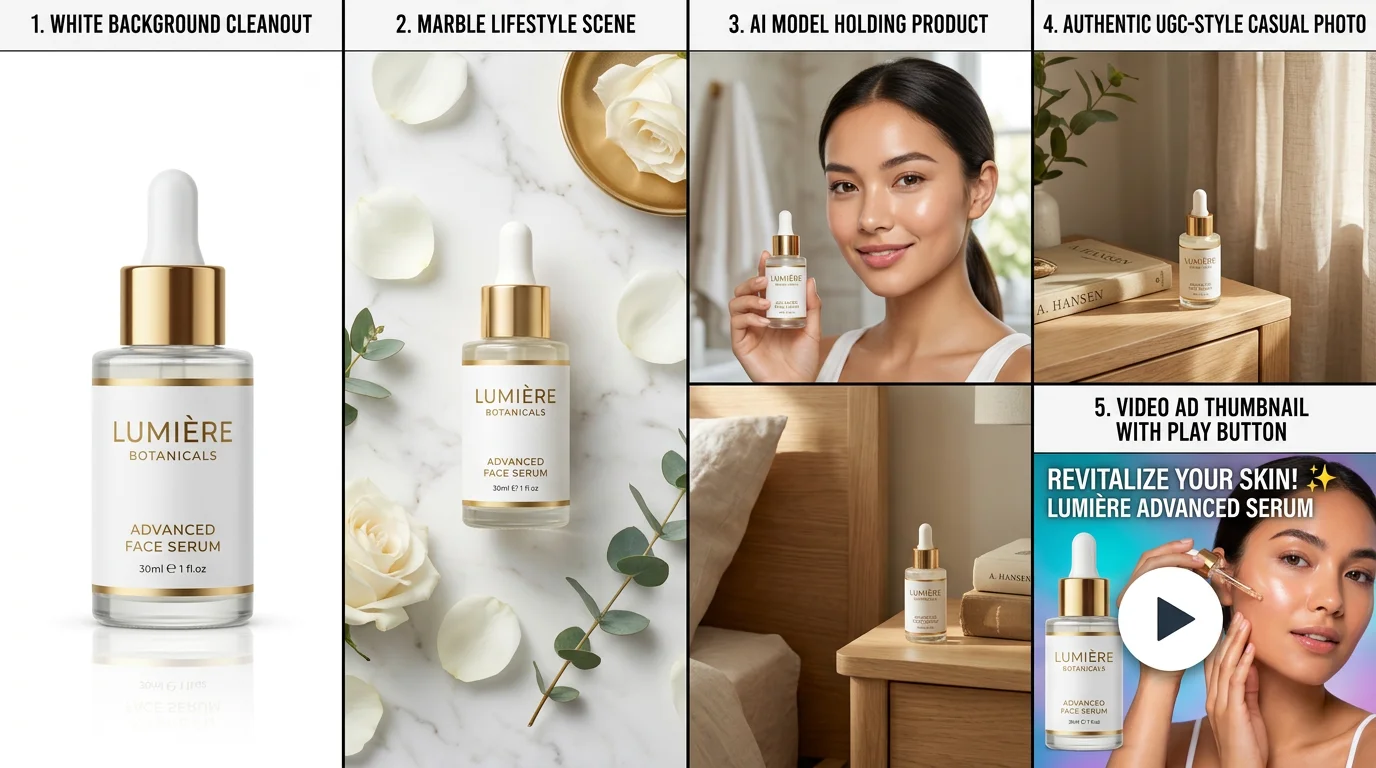
5 output types AI photography generates
1. White/clean background (marketplace-ready)
The core use case: Amazon, Walmart, Target, and most marketplaces require white or near-white backgrounds for primary listing images. AI removes your product from any source photo and places it against a compliant background, at the correct resolution (2,000 × 2,000px for most platforms).
2. Lifestyle scenes
Your product placed in a contextually relevant environment—a candle on a marble bathroom shelf, a protein powder next to a gym bag, a laptop bag on a cafe table. Lifestyle images convert better than white backgrounds for Instagram, Shopify homepage, and Etsy listings. AI generates as many scene variants as you need from a single source image.
3. On-model photography
Product shown on a human form. Critical for apparel and fashion accessories; highly valuable for jewelry, bags, sunglasses, and beauty products. AI model shots eliminate the $300–$1,000/day model booking cost and the 3-week lead time from booking to delivered images.
4. UGC-style imagery
Slightly imperfect, authentically styled images that look like they were taken by a real customer. These counterintuitively outperform polished studio imagery in paid social ads—they blend into the feed rather than looking like ads, driving higher CTR and lower CPAs. AI generates controlled UGC-style imagery that hits the right aesthetic without the unpredictability of actual UGC.
5. Product video ads
Static imagery is losing ground in paid social. Meta's algorithm increasingly de-prioritizes non-video content. AI image-to-video converts your product photos into 3–15 second clips—product reveals, lifestyle flyovers, or model shots in motion—formatted for 9:16 (TikTok/Stories), 1:1 (feed), or 16:9 (YouTube pre-roll).
AI product photography tools compared
| Tool | Strength | Limitation | Best For |
|---|---|---|---|
| FlowPic | Full pipeline: background → lifestyle → model → video | Newer product, fewer templates than Pebblely | Ecommerce brands wanting one tool for all output types including video |
| Pebblely | Large template library; fast generation | No video output; limited on-model capability | Quick background swaps for large catalogs |
| Flair.ai | Creative control; excellent art direction | Higher learning curve; slower for bulk | Brands wanting editorial-quality lifestyle imagery |
| Caspa.ai | Apparel specialist; good on-model for clothing | Limited to apparel and fashion categories | Fashion brands with clothing-heavy catalogs |
| PhotoRoom | Best background removal in class; mobile app | Limited generative backgrounds; no video | Quick background removal; mobile workflows |
FlowPic workflow: step by step
Here's the complete workflow for generating professional product images with FlowPic:
Step 1: Prepare your source photos
Take photos of your products with your phone. Natural window light works well. Shoot against a neutral background (white, gray, or light beige surface). Capture front-facing, three-quarter, and top-down angles—you'll use different angles for different output types.
You don't need a DSLR or any photography equipment. The source image just needs to clearly show the product; AI handles the rest.
Step 2: Upload to FlowPic
Upload your source photos at flowpic.app. The platform supports JPG, PNG, and HEIC (iPhone format). You can upload multiple images at once for batch processing.
Step 3: Select output type
Choose what you want to generate:
- Clean background: White (#FFFFFF) for Amazon; light gray for Shopify; transparent PNG for DTC sites
- Lifestyle scene: Describe or select from pre-built environments
- On-model: Select model demographic, scene, and product placement
- UGC-style: Authentically styled for social and paid ads
- Video: Select clip length and format for your ad platform
Step 4: Generate and review
Generation takes 30–90 seconds. Review results and regenerate any image that doesn't meet your standards—typically one or two attempts gets you to a usable image.
Step 5: Export in platform format
Export directly in the format and dimensions required by your platform. FlowPic outputs Amazon-formatted images (2,000 × 2,000px JPEG), Shopify collections (2,048 × 2,048px), Instagram square and portrait, and TikTok/Meta vertical video.
What AI photography is best (and worst) for
AI photography excels at:
- White background product images for any marketplace
- Lifestyle backgrounds from a catalog product photo
- On-model shots for jewelry, accessories, and beauty
- Bulk catalog photography (50+ SKUs)
- Generating seasonal variants without a photo shoot
- Product video ads from existing product images
- Testing 10 different backgrounds with a $50 ad budget before committing
Where traditional photography still wins:
- Fashion apparel that needs to show fabric drape, texture, and fit precisely
- Brand-level campaign imagery that defines visual identity
- Products where extreme physical detail drives purchase (artisan ceramics, high-end watchmaking)
- Video content requiring complex choreography or actor performance
The practical answer for most ecommerce brands: use AI for 80–90% of your photography needs, and invest traditional photography budget in the 10–20% that genuinely requires it.
ROI: calculating the value of AI photography
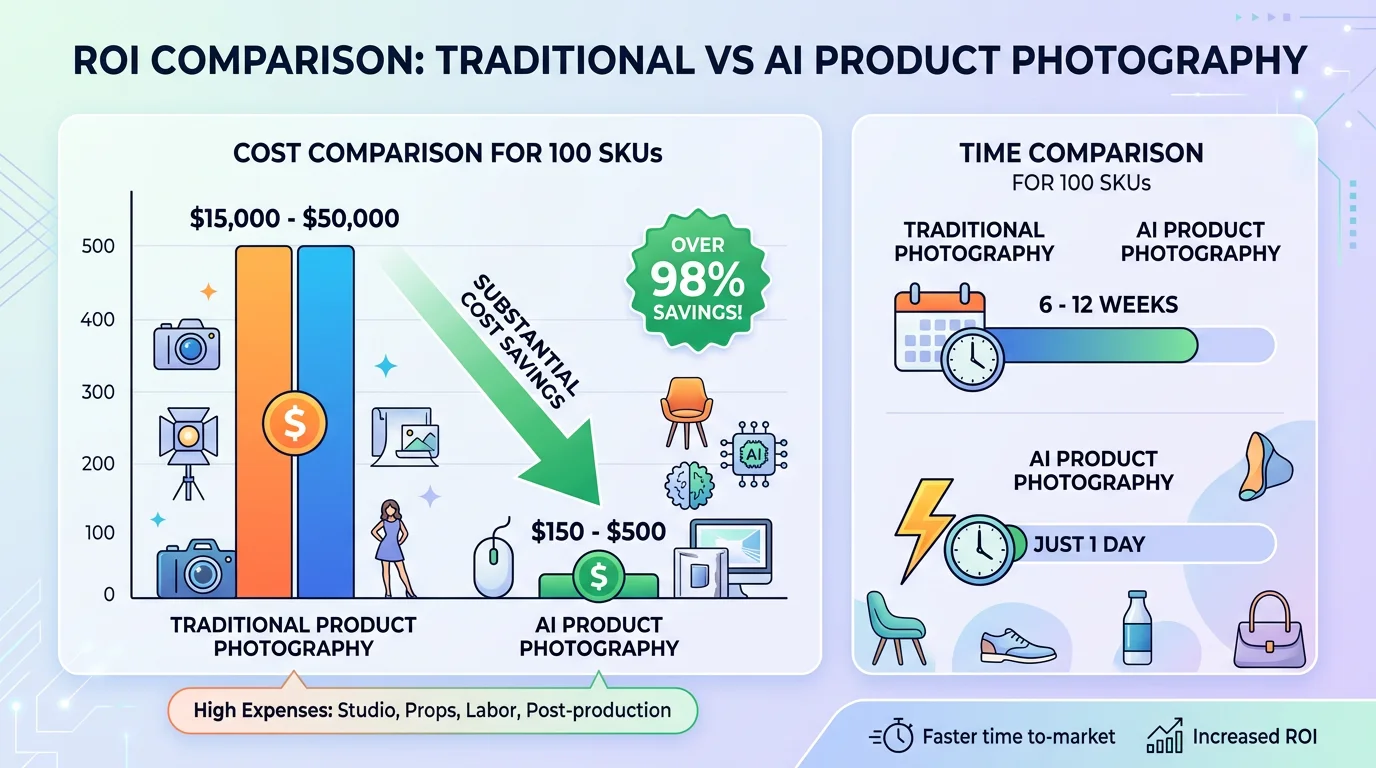
Here's a simple ROI model for an ecommerce brand with 100 SKUs:
| Scenario | Cost | Time to production | Images per SKU |
|---|---|---|---|
| Traditional photography | $15,000–$50,000 | 6–12 weeks | 3–5 |
| AI photography (FlowPic) | $150–$500 | 1 day | 10–20 |
| AI saves | $14,850–$49,500 | 5–11 weeks | More images per SKU |
The savings alone would fund 3–10 months of AI photography subscriptions at enterprise pricing. But the bigger value is speed: getting to market 5–11 weeks faster on a product launch can mean the difference between capturing seasonal demand and missing it entirely.
Frequently asked questions
How does AI know where to place my product in a lifestyle scene?
Modern AI product photography uses a two-step process: first, background removal to isolate your product with a precise mask; second, inpainting to composite the product into a generated scene with matched perspective, lighting, and shadow. The AI understands spatial context—a bottle goes on a surface, a bag hangs on a hook—and generates plausible physics automatically.
Can AI handle complex products like transparent bottles or shiny packaging?
Transparency and high-gloss reflective packaging were historically weak points for AI photography. Current generation models handle both significantly better than earlier tools. Results vary by product; generating multiple iterations typically produces a usable image within 2–3 attempts.
Will AI product photos pass Amazon's content review?
Amazon reviews product images for accuracy (does the image represent what's sold?) and compliance (white background, correct resolution, no text on main image). AI-generated images are reviewed by the same standards as traditional photography. As long as your AI photos accurately show your product at the correct specs, they pass review. Thousands of current Amazon listings use AI product photography.
How does AI product video compare to hiring a videographer?
AI product videos—3–10 second clips of your product in motion or in a lifestyle scene—work exceptionally well for paid social ads, particularly Meta and TikTok. They don't replace brand-level video content (brand story, testimonials, complex product demonstrations). Think of AI video as "product reveal clips for ads"—not "brand video campaigns."
Is there a learning curve to AI product photography tools?
Most current tools, including FlowPic, are designed for non-photographers. If you can upload a photo and select options from a menu, you can use these tools. No Photoshop, no Lightroom, no color calibration required. The main skill development is learning which source photo angles work best for different output types—which takes about a week of practice.
Try AI product photography for your brand
Generate professional product images in 60 seconds. No photographer, no studio, no wait.
Try FlowPic Free →