Best AI Product Photography Tools in 2026 (Tested & Ranked)
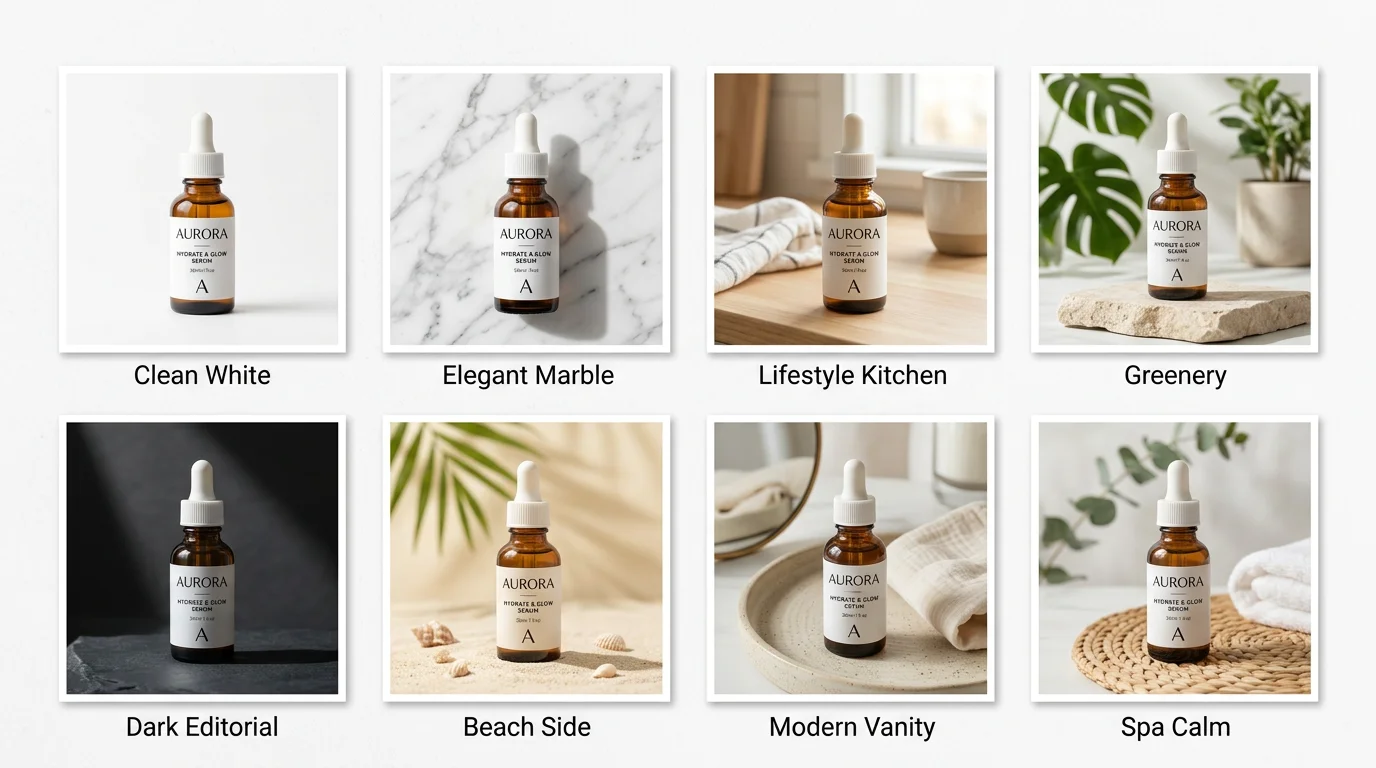
We took one product — a matte black skincare serum bottle — and uploaded it to 8 different AI product photography tools. Same image. Same brief: lifestyle background, white background, and a UGC-style shot. Then we scored every output honestly.
If you sell on Shopify, Etsy, Amazon, or run a DTC brand, the tool you pick will directly affect your conversion rate. Professional product images increase purchase intent by up to 30%, according to research from Shopify. And yet most sellers still pay $500–$2,000 per studio shoot, or settle for flat, uninspiring product shots that lose customers at first glance.
AI product photography tools have matured enough in 2026 to close that gap — but they are not all equal. Some excel at clean backgrounds. Some understand fashion and lifestyle context. One — FlowPic — goes further than any other by generating video ads from the same product image. This guide covers all eight tools in detail so you can pick the right one for your store.
Quick Comparison Table
All 8 tools rated on a 1–5 scale across the dimensions that matter most to ecommerce sellers.
| Tool | Background Quality | On-Model Shots | Video Output | UGC Style | Price (starter) | Ease of Use |
|---|---|---|---|---|---|---|
| FlowPic | 5 / 5 | 5 / 5 | 5 / 5 | 5 / 5 | $29 / mo | 5 / 5 |
| Flair | 5 / 5 | 4 / 5 | 1 / 5 | 3 / 5 | $38 / mo | 4 / 5 |
| Pebblely | 4 / 5 | 2 / 5 | 1 / 5 | 2 / 5 | $19 / mo | 5 / 5 |
| NovaBrand | 4 / 5 | 3 / 5 | 2 / 5 | 3 / 5 | $49 / mo | 3 / 5 |
| Caspa | 4 / 5 | 3 / 5 | 1 / 5 | 2 / 5 | $39 / mo | 4 / 5 |
| Pixelcut | 3 / 5 | 2 / 5 | 1 / 5 | 3 / 5 | $14 / mo | 5 / 5 |
| AdCreative.ai | 3 / 5 | 2 / 5 | 2 / 5 | 2 / 5 | $29 / mo | 3 / 5 |
| PhotoRoom | 4 / 5 | 2 / 5 | 1 / 5 | 3 / 5 | $13 / mo | 5 / 5 |
Scoring methodology: Each tool was tested with the same product image across five output types. Ratings reflect output quality, realism, and commercial usability — not marketing claims.
1. FlowPic — Best Overall AI Product Photography Tool
Best for: Shopify stores, DTC brands, Amazon FBA sellers, and Etsy sellers who need the full range of product visuals — including video ads — without a studio or a separate production budget.
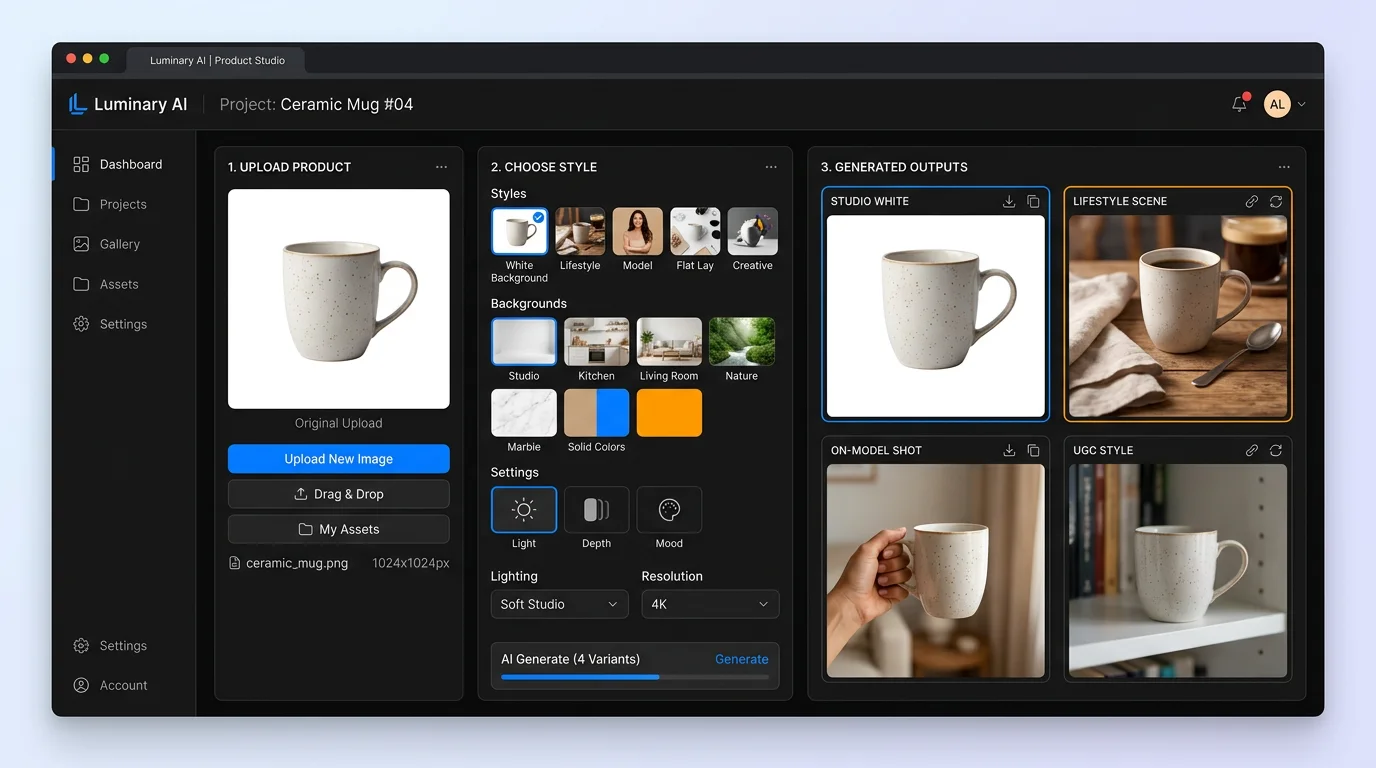
FlowPic is the only AI product photography tool that takes a single product image all the way through to a finished video ad. Upload a photo, get studio-quality stills in 60 seconds, then generate a product video ad from the same shot — no additional tools required, no third-party editor needed.
What FlowPic generates
- White and clean backgrounds — Amazon-compliant, crisp edge detection, shadow options
- Lifestyle scenes — contextually appropriate environments generated around the product
- On-model shots — virtual try-on for apparel, accessories, and wearable products
- UGC-style images — authentic, hand-held aesthetic that performs on TikTok and Instagram
- Product video ads — the only tool in this comparison that outputs a finished video creative
What sets FlowPic apart
Every other tool in this list stops at images. FlowPic extends the same workflow into motion. After generating your still images, you can select any output and convert it to a short-form video ad — complete with motion, transitions, and text overlays — in one click. For brands running Meta or TikTok ads, this eliminates an entire production step that typically costs $300–$800 per video asset.
The on-model / virtual try-on output is also meaningfully better than competitors. Clothing, accessories, and skincare products rendered convincingly in context, with realistic fabric drape and skin interaction. Flair comes close for flat lays, but FlowPic's on-model results held up for wearable product categories across our test batch.
Where FlowPic could improve
Because it does more than any competitor, the interface has more options. New users sometimes spend 2–3 minutes figuring out which output mode to select. The onboarding flow walks you through it, but it is worth noting if you need a tool someone with zero design experience can hand off immediately.
Pricing
Starts at $29/month. Free plan available with limited generations per month.
2. Flair — Best for Fashion and CPG Brands
Best for: Fashion brands, beauty companies, and CPG products where aesthetic context and prop styling matter more than raw output volume.
Flair takes a drag-and-drop scene-building approach. You place your product on a virtual canvas, add props and background elements, and let the AI render the final composed shot. The results are genuinely impressive for lifestyle content — particularly for beauty, skincare, and premium fashion where the environment around the product carries as much weight as the product itself.
What works well
The prop library is extensive, and Flair's understanding of composition is strong. For a serum bottle surrounded by botanicals and linen texture, the output required almost no prompting. It just understood the aesthetic category and rendered accordingly.
Where it falls short
Flair has no video output, no virtual try-on for apparel, and UGC-style generation is limited to static images that don't fully capture the raw, handheld quality that performs on social. If you need to go from product image to video ad, you will need a separate tool. Flair also runs $38/month at the starter tier, which is higher than most competitors for what you get in output volume.
Pricing
Starts at $38/month. No meaningful free tier beyond a brief trial.
3. Pebblely — Best Simple Background Swap
Best for: Sellers who need clean or lifestyle backgrounds fast, without a learning curve. Great for Etsy shops and small Shopify stores with straightforward catalog items.
Pebblely is purpose-built for background replacement. Upload a product image, pick a background style from a preset library, and get a clean result in seconds. The tool handles common ecommerce product types — bottles, boxes, apparel laid flat, small electronics — reliably and quickly.
What works well
For pure background swaps, Pebblely's edge detection is consistently clean. It processes 40 images per batch on paid plans, which makes it the most efficient tool for sellers who need to refresh an entire catalog quickly rather than obsess over a hero image.
Where it falls short
It is a background swap tool, not a full product photography platform. On-model shots are not supported. Video output does not exist. UGC-style generation produces results that look more like stock photography than genuine user content. If your needs grow beyond simple background replacement, you will outgrow Pebblely quickly.
Pricing
Starts at $19/month. One of the most affordable tools in this comparison for its narrow use case.
4. NovaBrand — Best Ad Creative Intelligence
Best for: Growth marketers and brand managers who want data-informed creative — tools that suggest which visual formats and styles are likely to perform based on category benchmarks.
NovaBrand layers ad performance intelligence on top of its image generation. When you upload a product and select an output type, it surfaces performance data from similar creative in your product category — telling you which backgrounds, color palettes, and compositions have historically driven higher click-through rates on Meta and Google Shopping.
What works well
If you manage paid media and are making decisions about creative direction, NovaBrand's benchmarking layer is genuinely useful. It is one of the few tools that treats product images as performance assets rather than just visual outputs. The generated images are solid across lifestyle and clean background categories.
Where it falls short
The image quality, while good, does not match FlowPic or Flair in the lifestyle category. On-model generation exists but feels underdeveloped — proportions are occasionally off, and the tool requires several regenerations to get a usable result. At $49/month for the starter plan, it is the most expensive option here, and the value is tied to whether you actually use the performance intelligence layer. If you don't run paid ads actively, NovaBrand's core differentiation doesn't apply.
Pricing
Starts at $49/month.
5. Caspa — Best Amazon Resource Library
Best for: Amazon FBA sellers who need compliant product images that meet Amazon's technical requirements (pure white backgrounds, correct image ratios, no watermarks) at scale.
Caspa is built with Amazon in mind. Its background removal and white background generation are tuned to meet Amazon's image policy standards — 255/255/255 white, no drop shadows visible in the primary image slot, product occupying at least 85% of the frame. It also ships with a pre-built library of scene templates organized by Amazon product category.
What works well
For Amazon sellers, the category-specific template library saves real time. Electronics, grocery, beauty, apparel — each category has templates built around typical product staging conventions on Amazon. The white background tool handles glossy packaging and transparent products (bottles, jars) more reliably than most competitors.
Where it falls short
Outside the Amazon context, Caspa is average. Lifestyle generation looks generic. UGC-style output is weak. There is no video. If you sell across Amazon, Shopify, and social simultaneously, Caspa will handle only part of your creative workflow and you will need supplementary tools.
Pricing
Starts at $39/month.
6. Pixelcut — Best for Batch Editing
Best for: Sellers with large catalogs who need to process many product images quickly and consistently without paying per-image fees.
Pixelcut is a volume tool. Its primary strength is bulk background removal and background replacement across large batches of product images. If you have 200 product photos that all need a consistent white background treatment, Pixelcut is the most cost-efficient way to process them.
What works well
Batch processing is fast and the pricing is flat — you are not penalized for high volume. The Magic Background tool generates simple lifestyle scenes that are acceptable for secondary product images and supplementary gallery slots.
Where it falls short
Pixelcut does not compete on image quality in the lifestyle or on-model categories. The backgrounds it generates tend to look AI-generated in a way that more sophisticated tools avoid. For hero images on a product detail page or primary ad creative, the outputs typically need additional work. No video output. No virtual try-on.
Pricing
Starts at $14/month, making it the lowest-cost option in this group for batch background work.
7. AdCreative.ai — Best for Paid Ad Creatives
Best for: Performance marketers focused on generating large volumes of static ad variants for A/B testing across Google, Meta, and display networks.
AdCreative.ai is not a product photography tool in the traditional sense — it is a creative automation platform that uses your product image as a raw material to generate ad-ready graphics at scale. Upload a product, connect your brand kit, and it generates dozens of ad creative variants with copy, layouts, and CTAs pre-applied.
What works well
For teams that run systematic creative testing — building 20 ad variants around one product image to find a winning combination — AdCreative.ai reduces what would otherwise be hours of design work to minutes. The platform integrates with Meta Ads and Google Ads to pull in performance data and score creative variants before you spend budget.
Where it falls short
The underlying image generation is not as strong as FlowPic or Flair. The tool optimizes for ad layout and copy variation rather than photographic quality. If you want a product image that looks like it was shot in a real studio, AdCreative.ai is not the right starting point. It is an ad production tool, not a photography tool, and it works best when you already have strong source images to work from.
Pricing
Starts at $29/month.
8. PhotoRoom — Best Mobile App
Best for: Solo sellers and small Etsy shops who primarily work from a phone and need quick background removal and simple scene generation on the go.
PhotoRoom is the most polished mobile experience in this comparison. The iOS and Android apps are genuinely fast — background removal works on-device and processes in under 3 seconds. For a seller who photographs products on a phone and needs a clean background before listing to Etsy or Instagram, PhotoRoom is the simplest path from phone camera to publishable image.
What works well
Speed and mobile UX. Background removal quality is excellent for common product shapes. The batch removal feature on mobile is better than most desktop tools. At $13/month, it is accessible for very small operations.
Where it falls short
PhotoRoom is a mobile background tool that has added some lifestyle generation features, not a full product photography platform. On-model shots are basic and unconvincing for most product categories. Video output does not exist. For a growing brand that needs professional-grade output across multiple creative formats, PhotoRoom will become a bottleneck quickly.
Pricing
Starts at $13/month. Free plan with watermarked outputs.
How to Choose the Right AI Product Photography Tool
The right tool depends on what you are actually selling, where you are selling it, and what creative formats your marketing channels require. Here is a practical framework.
Start with your output formats
If you need video ads — for TikTok, Instagram Reels, or Meta — only one tool in this comparison generates them: FlowPic. Every other tool stops at static images. If video is in your roadmap at all, starting with FlowPic means you will not have to switch tools when that need emerges.
Match the tool to your sales channel
- Amazon FBA: Caspa for compliance-tuned white backgrounds, FlowPic for the full creative range including A+ Content lifestyle images
- Shopify / DTC: FlowPic or Flair — both produce hero-image quality that lifts conversion rate
- Etsy: Pebblely or PhotoRoom for simple needs; FlowPic if you want lifestyle and UGC variety
- Meta / TikTok ads: FlowPic (video output) or AdCreative.ai (ad variant volume)
Consider how many products you are shooting
For catalog-level volume (100+ SKUs), batch processing tools like Pixelcut or Pebblely handle the heavy lifting cost-efficiently. For hero images, flagship products, or ad creative where quality directly affects revenue, a higher-quality tool like FlowPic or Flair pays for itself in conversion lift.
Factor in total production cost, not just tool price
A $29/month FlowPic subscription that replaces a $600/month studio shoot is not expensive — it is a 95% cost reduction with faster turnaround. A $14/month Pixelcut subscription that still requires a professional retoucher to clean outputs is not cheap. Price the full workflow, not just the tool.
The short answer for most brands
FlowPic covers the complete creative pipeline — stills to video, white backgrounds to lifestyle, on-model to UGC — in one place. It is the tool we would choose if we were running a Shopify store or DTC brand today. Try FlowPic Free →

Frequently Asked Questions
What is the best AI product photography tool in 2026?
FlowPic is the best overall AI product photography tool in 2026 for ecommerce brands. It is the only tool that generates white backgrounds, lifestyle scenes, on-model shots, UGC-style images, and product video ads from a single uploaded product photo. For sellers who need only simple background swaps, Pebblely is the most affordable option. For fashion and CPG with strong aesthetic requirements, Flair is the best alternative.
Can AI product photography tools replace a professional photographer?
For most ecommerce use cases — catalog images, secondary gallery shots, ad creative, and social media content — yes. Tools like FlowPic produce images that are indistinguishable from studio shots at a fraction of the cost and turnaround time. Brand campaigns, lookbooks, and hero imagery for major campaigns may still benefit from a human photographer, but the bar for "requires a studio" has risen significantly in 2026.
Which AI product photography tool works best for Amazon sellers?
Amazon sellers need two things: a compliant white background (pure 255/255/255 white, product filling 85% of frame) and high-quality lifestyle images for A+ Content. Caspa handles compliance-tuned white backgrounds reliably. FlowPic covers both — Amazon-compliant backgrounds and lifestyle scene generation that meets A+ Content quality standards. If you are building an Amazon brand with a Shopify presence, FlowPic handles both channels in one tool.
Do any AI product photography tools generate video ads?
Only FlowPic generates product video ads as part of its core product photography workflow. Every other tool in this comparison — including Flair, Pebblely, Caspa, Pixelcut, PhotoRoom, and NovaBrand — stops at static images. AdCreative.ai has limited animated ad output, but it is not a video ad generator in the same sense. If video is a requirement, FlowPic is the only choice that handles it natively.
How much do AI product photography tools cost?
Pricing in 2026 ranges from $13/month (PhotoRoom) to $49/month (NovaBrand) for starter plans. FlowPic starts at $29/month and includes the complete creative range: backgrounds, lifestyle, on-model, UGC, and video ads. Most tools offer a free trial or limited free tier. When comparing costs, factor in whether the tool covers all your output types or whether you need to pay for two or three tools to cover the same workflow one tool handles completely.