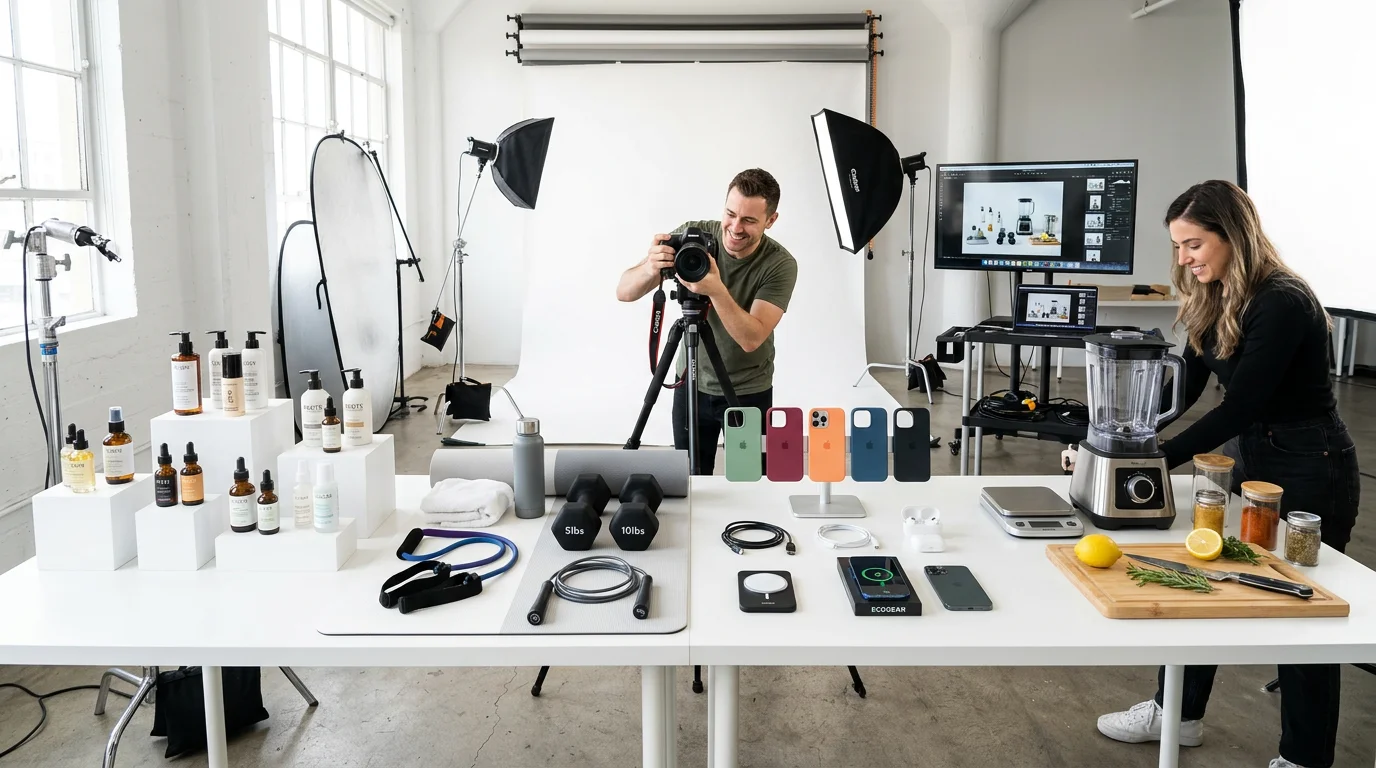
Product photography is one of the highest-leverage investments in ecommerce. Research consistently shows that product image quality is the #1 factor in purchase decisions for online shoppers—above price, above reviews, above brand reputation.
But for most online sellers, professional product photography is prohibitively expensive. A typical studio shoot costs $500–$2,000 per session, produces 10–30 final images, and needs to be repeated every time you launch a new SKU or refresh a product line. For a business with 50–200 products, traditional photography simply doesn't scale.
This guide covers everything you need to know about ecommerce product photography in 2026: traditional methods, AI-generated imagery, platform requirements, and a practical workflow for getting great product photos without spending a fortune.
Why product photography directly affects conversion rate
The data on product imagery and ecommerce conversion is unambiguous:
- 75% of online shoppers rely on product photos when deciding whether to purchase (Justuno, 2024)
- Products with 3+ images convert at 2.3× the rate of single-image listings (Shopify data, 2025)
- Video product content increases add-to-cart rates by 80% on average (Wyzowl, 2025)
- High-quality lifestyle images reduce return rates by 22–35% by setting accurate expectations (UPS Pulse of the Online Shopper, 2025)
Poor product photography doesn't just reduce conversion rate—it actively damages brand perception. Blurry images, inconsistent backgrounds, or amateur lighting signal to shoppers that your brand can't be trusted with their purchase.
The 6 shot types every ecommerce seller needs
1. Hero shot (white background)
The primary listing image on Amazon, Shopify, and most marketplaces. Clean white background, product centered, filling 80–85% of the frame. This is non-negotiable for Amazon—their algorithm suppresses listings with non-compliant main images.
2. Lifestyle context shot
The product placed in a real-world setting that communicates its use case. A yoga mat in a sun-drenched studio. A coffee maker on a marble kitchen counter. A backpack in a coffee shop. Lifestyle shots drive higher average order values and lower return rates.
3. Feature callout shot
A product image with text or arrows overlaid to highlight specific features. "Waterproof," "Fits 15" laptop," "500ml / 16oz," "Made in USA." These are especially effective as the 2nd or 3rd image in an Amazon listing.
4. Scale reference shot
Shows the product's actual size in relation to a familiar object or person. Critical for products where size matters: clothing, home goods, electronics, sporting equipment. Eliminates the #1 return reason for many categories.
5. On-model or in-use shot
Shows someone using or wearing the product. For clothing, this is mandatory. For accessories, tools, and tech products, in-use shots reduce friction by showing exactly how the product works.
6. Video product reveal
A 3–15 second clip showing the product from multiple angles, in use, or in a lifestyle setting. Video significantly outperforms static images in paid ads and is increasingly featured prominently in Amazon search results and TikTok Shop listings.
Traditional product photography: costs and workflow
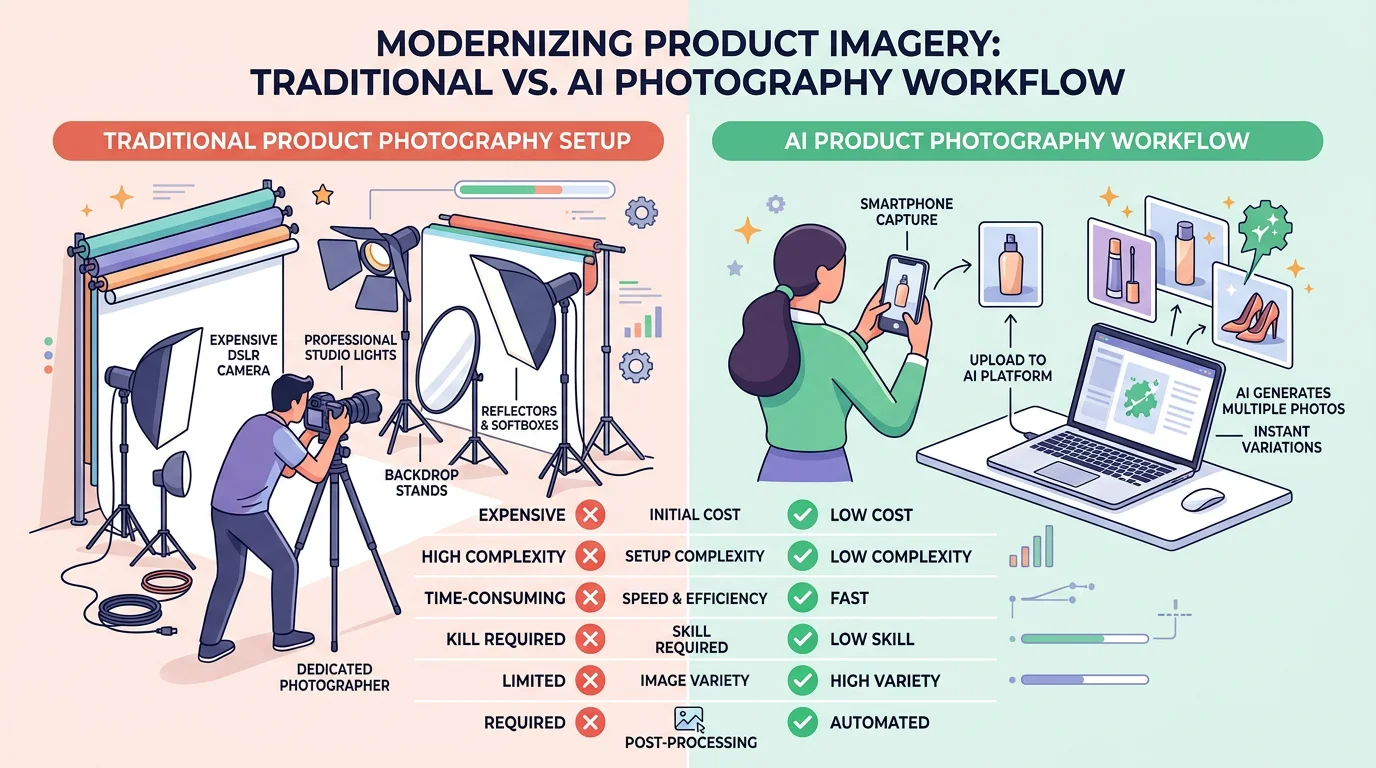
Traditional product photography involves hiring a photographer (and often a stylist), booking a studio, shooting the products physically, and paying for post-processing and retouching. Here's what that looks like by business type:
DIY photography (phone + lightbox)
Cost: $50–$200 lightbox kit, free ongoing
Quality: Acceptable for simple products; struggles with reflective surfaces, clothing, and lifestyle shots
Time: 2–4 hours per product (setup, shooting, editing in Lightroom/Photoshop)
Limitations: No lifestyle scenes; editing skills required; inconsistent results
Freelance photographer
Cost: $200–$800 per session; $30–$80 per edited image
Quality: Good to excellent depending on photographer
Time: 1–3 weeks from booking to final delivery
Limitations: Must ship products to photographer; minimum order requirements; lifestyle scenes require additional cost
Professional studio shoot
Cost: $1,000–$5,000 per day; $50–$150 per final edited image
Quality: Excellent
Time: 2–4 weeks from booking to delivery
Limitations: Most expensive option; requires extensive advance planning; background or scene changes require rescheduling
AI product photography: how it works in 2026
AI product photography tools like FlowPic use generative AI to transform a simple product photo into professional-quality imagery at a fraction of the cost.
The process:
- Upload any photo of your product: Phone camera, webcam, existing listing image—quality of the source matters less than with traditional retouching
- AI removes the background: Cleanly separates the product from whatever background it was photographed against
- Choose your output type: White background, lifestyle scene, on-model, UGC-style, video ad
- Receive platform-optimized images: In the correct dimensions and format for Amazon, Shopify, Etsy, TikTok Shop, Meta Ads
What makes AI photography uniquely powerful for ecommerce brands is the ability to generate unlimited variants. One source image can produce 50 different backgrounds, 10 lifestyle scenes, 5 on-model shots, and a video ad—all in under 30 minutes.
AI vs. traditional: side-by-side comparison
| Factor | DIY (lightbox) | Freelance photographer | FlowPic AI |
|---|---|---|---|
| Cost per image | ~$2–5 (time cost) | $30–$80 | From $0.15 |
| Setup time | 2–3 hours | 1–2 weeks | 0 (upload & go) |
| Turnaround | Same day | 1–3 weeks | 60 seconds |
| Lifestyle scenes | Very hard | Extra cost | Included |
| On-model shots | Not possible | Significant extra cost | Included |
| Video content | Not possible | Separate videographer | Included |
| Background variants | Must re-shoot | Must re-shoot | Unlimited |
| Editing skills required | Yes | No | No |
| 50 SKU catalog cost | $250–500 time cost | $3,000–$8,000 | $15–$50 |
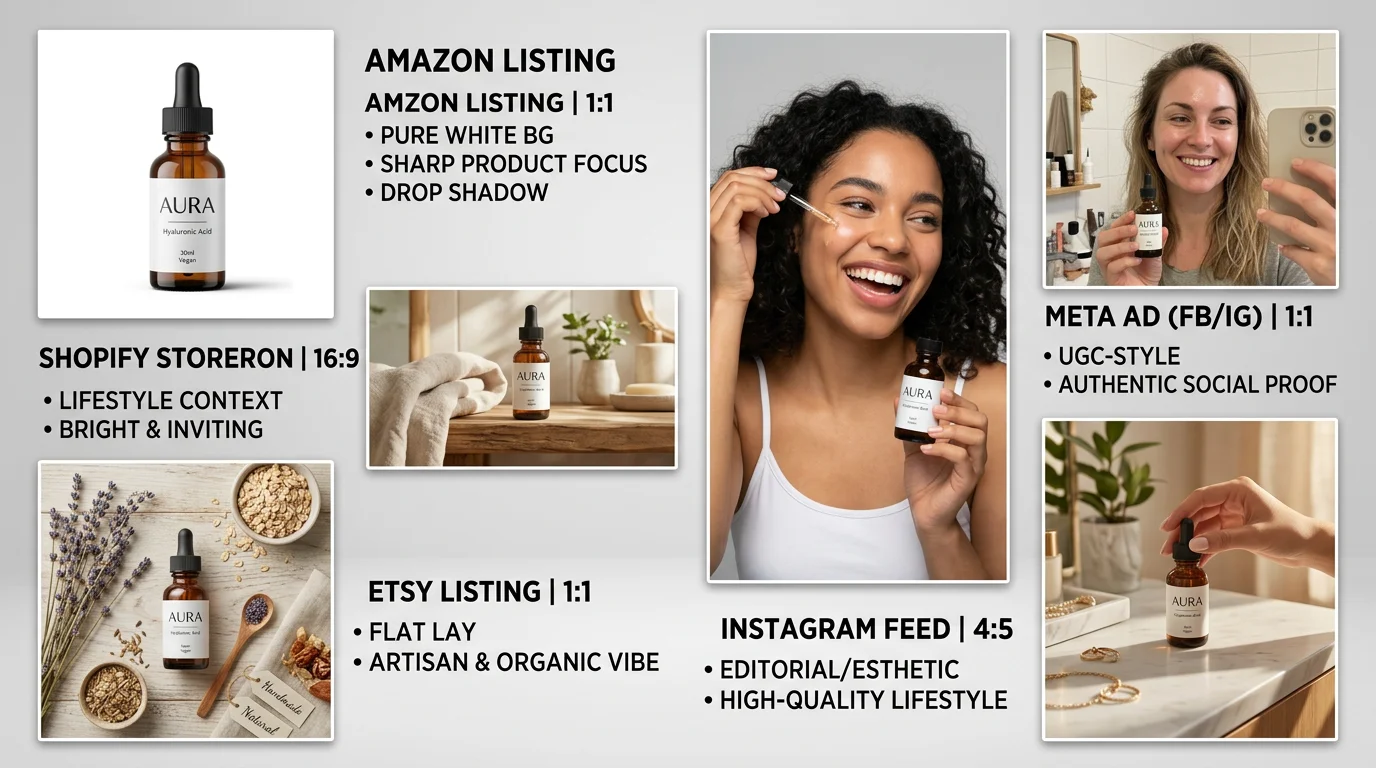
Platform requirements for ecommerce product photography
Amazon
- Main image: Pure white background (RGB 255, 255, 255), product fills 85% of frame, no text or props
- Resolution: Minimum 1,000 × 1,000px; 2,000 × 2,000px recommended (enables zoom)
- Alternate images: Up to 9 allowed; lifestyle, feature callout, and scale images all help conversion
- Video: Supported via Amazon's video tool; appears in search results for eligible brands
Shopify
- Recommended size: 2,048 × 2,048px square
- Format: JPEG for compression; PNG for transparent backgrounds
- Consistency: All products on a collections page should use same background and orientation
Etsy
- Minimum: 2,000px on the shortest side for high-resolution display
- First image: Appears in search thumbnails; lifestyle images often outperform white backgrounds on Etsy
- Up to 10 images per listing; more images correlate with higher conversion
TikTok Shop
- Main image: White or light background, 1:1 ratio, 800 × 800px minimum
- Video: Vertical (9:16), 15–60 seconds for product showcase; 3–15 seconds for feed ads
Recommended workflow for scaling ecommerce brands
For brands with 20+ SKUs, a hybrid approach works best:
- Photograph everything once, cheaply: Take phone photos of each product against a white surface in natural light. This is your source library. You only need to do this once per product.
- Generate all variants with AI: From each source photo, generate white background (Amazon), lifestyle scenes (Instagram/Shopify), and video ads (Meta/TikTok). All in under 2 minutes per SKU.
- Use traditional photography for hero brand imagery: Your homepage hero, brand campaign imagery, and editorial content still benefit from professional photography. Use AI for the 95% of product catalog work and traditional photography for the 5% that represents your brand.
- Test variants with small ad budgets before committing: Generate 3 different lifestyle backgrounds for a product and run $50 split tests before you know which converts best. AI makes this affordable.
- Refresh seasonal imagery quarterly: Generate seasonal lifestyle variants (holiday, summer, back-to-school) without a photo shoot—just select a seasonal scene in FlowPic and generate.
Frequently asked questions
Does AI product photography quality match professional photography?
For most ecommerce use cases—listing images, lifestyle shots, social media content—AI-generated photography is indistinguishable from traditionally photographed images. Where traditional photography still has an edge: extremely high-end luxury brand campaigns, fashion editorial, and product categories where fine physical texture is critical to the purchase decision (high-end textiles, artisan ceramics).
Can I use AI product photos on Amazon without violating their policies?
Yes. Amazon's policies require that product images accurately represent the product being sold. They do not prohibit AI-generated imagery. Thousands of Amazon sellers currently use AI product photography. The critical requirement is accuracy—the product shown must match what's shipped to the customer.
How many images should I have per product listing?
For Amazon: 7–9 images (main hero + 6–8 alternates). For Shopify: 4–6 images (hero + lifestyle + feature callout + scale). For Etsy: 8–10 images (Etsy data shows listings with 10 images convert significantly better than those with fewer). AI photography makes hitting these numbers affordable for every SKU.
What's the ROI on professional ecommerce product photography?
Research suggests professional product photography increases conversion rates by 30–80% compared to amateur photography. For a store doing $10,000/month in revenue, a 30% conversion lift means $3,000/month in additional revenue. Even traditional photography at $2,000 pays for itself within a month—and AI photography at $50 pays for itself in hours.
Should I prioritize photography or reviews for a new Amazon listing?
Photography comes first. Shoppers evaluate your images before reading reviews. A listing with 5 reviews and great photography will typically outperform a listing with 50 reviews and poor imagery. Get your 7-image set right before running traffic to a new listing.
Start generating professional ecommerce product photos today
Upload your product image and see AI-generated results in under 60 seconds.
Try FlowPic Free →