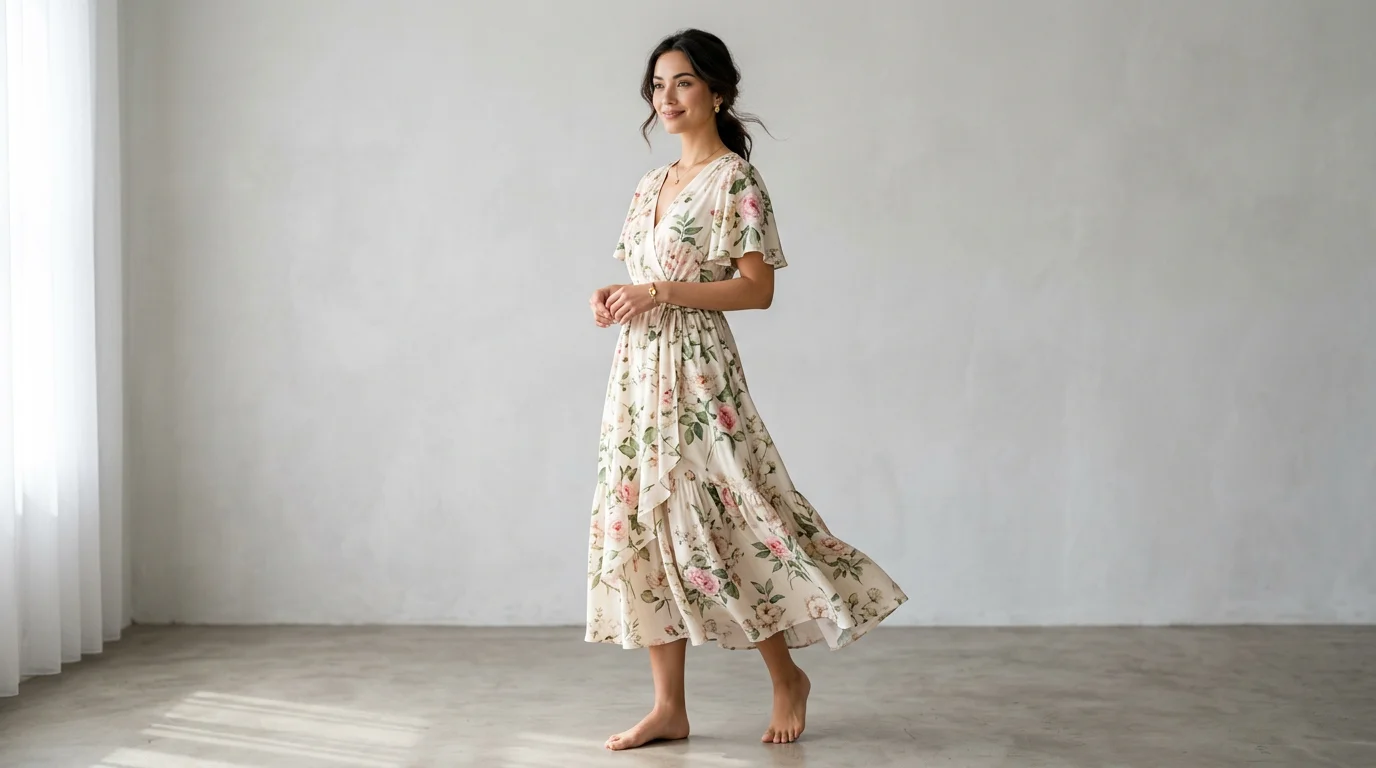
How to Get On-Model Product Photos Without Hiring a Model
You've built the product. The listings are ready. Then you open your browser and start pricing out a model shoot — and reality hits: $150–300 per hour for the model, another $100–200 for a studio, plus a photographer, lighting, styling, and retouching. A single half-day shoot can run $1,500–3,000 before you've sold a single unit.
For an independent Shopify store, an Etsy shop, or a new DTC brand finding its footing, that's a significant chunk of your marketing budget — spent before you even know which SKUs will convert.
The good news: on-model photos are no longer exclusive to brands with deep pockets. In 2026, there are four practical methods to get professional on-model product images without booking a single casting call. This guide walks through all four — their real costs, which product types they work best for, and where to use the results on Amazon, Shopify, and Instagram.
Why On-Model Photos Matter for Sales
Shoppers can't touch your product. They can't try it on, hold it up to the light, or ask a friend "does this look good on me?" Your product images are doing all of that work — and on-model photos carry a disproportionate share of the conversion load.
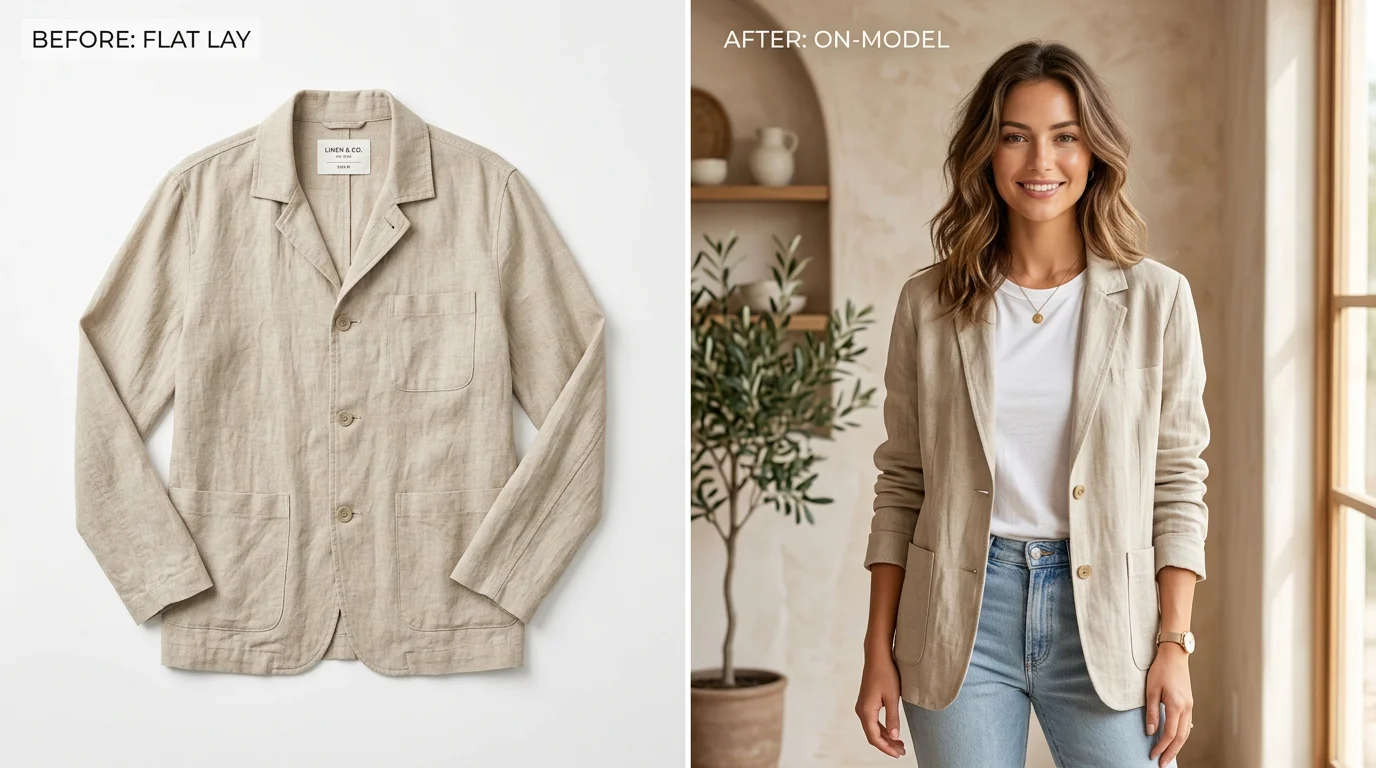
Research from multiple ecommerce platforms consistently shows that products displayed on a human figure — whether real or AI-generated — outperform ghost mannequin or flat-lay shots on conversion rate for apparel and accessories. The reason is simple: customers need to visualize fit, drape, proportion, and how a garment moves. A folded hoodie on a white background tells you almost nothing. A hoodie worn by someone with a similar build tells you everything.
On-model images also directly impact returns. Studies from fashion brands have shown that detailed on-model imagery — showing how fabric falls, where a hemline hits, how a sleeve fits — can reduce return rates by 15–30% for clothing categories. Every percentage point in return reduction goes straight back to margin.
For jewelry and accessories, on-model shots provide scale and context that product-only images cannot replicate. A ring floating on a white background looks small and abstract. The same ring on a hand communicates size, how it catches light, and whether it reads as casual or formal.
Method 1: Ghost Mannequin / Dress Form
The ghost mannequin technique uses an invisible mannequin — a physical dress form that's photographed with the garment on it, then digitally removed in post-production — to create the impression that the clothing is being worn. It's a long-standing technique in fashion photography.
How it works
You dress a mannequin, photograph it from multiple angles, then a photo editor composites the images so the mannequin disappears while the garment retains its three-dimensional shape. The result looks like the clothing is floating or being worn by an invisible person — which is where the "ghost" name comes from.
Best product types
- Structured garments — blazers, jackets, dress shirts, knitwear. Items that hold their shape on a form.
- Bottoms — trousers, skirts, shorts. Waistbands and silhouettes read clearly on a form.
- Less ideal for: drapey fabrics, flowing dresses, or anything that needs body movement to show its best qualities.
What it costs
A basic adjustable dress form runs $80–250. A professional-grade mannequin with ghost mannequin inserts (the interior torso pieces that create a seamless hollow-neck effect) costs $300–600. Post-production editing per image typically runs $5–25 per shot if outsourced. For a small brand shooting 20 SKUs with 3 angles each, expect a one-time mannequin investment plus $300–1,500 in editing costs.
Limitations
Ghost mannequin is labor-intensive to shoot well and requires retouching expertise. It doesn't show how fabric drapes on a real body, and it gives no sense of lifestyle context. For fashion brands that compete on fit and personality, it leaves a lot of storytelling on the table.
Method 2: Flat Lay Styling
Flat lay photography arranges products on a flat surface — usually a clean background or styled surface — and shoots from directly overhead. When done well, flat lay is a legitimate art form and performs strongly on Instagram and Pinterest.
How it works
You lay the garment or product flat, style it carefully (using tissue paper to create shape inside sleeves, pins to create clean lines, props for context), then shoot from above with a camera on a tripod or an overhead rig. Smartphone cameras with a good natural light setup can produce excellent flat lay images.
Best product types
- Accessories — scarves, belts, bags, hats. These read well flat and style easily.
- Jewelry — necklaces, bracelets, and earrings arranged artfully on textured surfaces convert well.
- Smaller garments — t-shirts, socks, underwear.
- Beauty and skincare — product + ingredients flat lays are a social media staple.
- Less ideal for: tailored clothing where fit is the core selling point. A flat blazer tells you nothing about how it fits a real shoulder.
What it costs
Flat lay is the most accessible method. If you already own a smartphone and have access to good window light, your incremental cost can be nearly zero. A basic flat lay kit — white foam board, some props, a phone tripod — runs $30–80. If you hire a product photographer for a flat lay session, expect $50–150 per hour for a freelancer, but an experienced flat lay shooter can often do 20–30 shots in two hours.
Limitations
Flat lay does not show fit. For apparel brands, especially those selling to customers who care about how clothing looks on a body, flat lay alone is rarely sufficient. It works best as a complement to on-model or ghost mannequin shots, not as a replacement.
Method 3: Stock Model Licensing
Stock model licensing platforms let you license photos of professional models and digitally composite your product onto them. Some platforms go further, offering virtual try-on compositing as a service.
How it works
You browse a library of model photos — diverse body types, poses, skin tones — and select images that match your target customer. You then either use a compositing service to layer your product onto the model or upload both to an AI compositing tool that handles the blending. The output is an image that looks like your product is being worn by the model.
Best product types
- Clothing with simple silhouettes — t-shirts, sweatshirts, basic dresses. The compositing is most convincing when the garment shape doesn't need to precisely follow a specific body's curves.
- Accessories — jewelry, bags, sunglasses. These composite more cleanly than structured garments.
- Less ideal for: tailored clothing, fitted denim, or garments where precise fit is the selling point. Compositing artifacts become visible at seams and stress points.
What it costs
Stock model licensing platforms typically charge $10–50 per image, or subscription plans starting around $99–299 per month for a bundle of credits. Full-service compositing studios charge $25–75 per final image. It's more affordable than a live shoot but adds up quickly across a large catalog.
Limitations
The quality of stock compositing varies significantly. Low-quality compositing is easy for shoppers to spot — lighting mismatches, unnaturally flat fabric texture, awkward fit around the neck or shoulders — and can actually harm conversion by making the product look cheap. You also have limited control over pose, model diversity, and styling.
Method 4: AI Model Photoshoot with FlowPic
AI model photoshoots represent a fundamentally different approach. Instead of compositing your product onto a stock photo, AI generates a completely new image — a photorealistic model wearing your actual product in your chosen environment, with your chosen lighting and aesthetic. The model isn't borrowed from a library. The entire scene is created from your product photo as the source of truth.
How it works with FlowPic
The workflow at FlowPic is straightforward:
- Upload your product photo — a flat lay, a hanger shot, a photo on a mannequin, or even a photo you took on your phone. FlowPic works with whatever you have.
- Choose your output type — for on-model shots, select the model photoshoot option. Choose your model characteristics, body type, skin tone, and pose style.
- Set the scene — pick a background environment (studio clean, lifestyle setting, urban street, nature, etc.) and lighting style.
- Generate — in about 60 seconds, you receive studio-quality on-model images ready for your product listings.
FlowPic's AI understands how garments drape, stretch, and behave on a body. It doesn't simply paste a flat image of your t-shirt onto a model — it renders how that specific fabric would look worn, including realistic wrinkles, fabric weight, and fit. This is what distinguishes AI model generation from stock compositing.
Virtual try-on for fashion
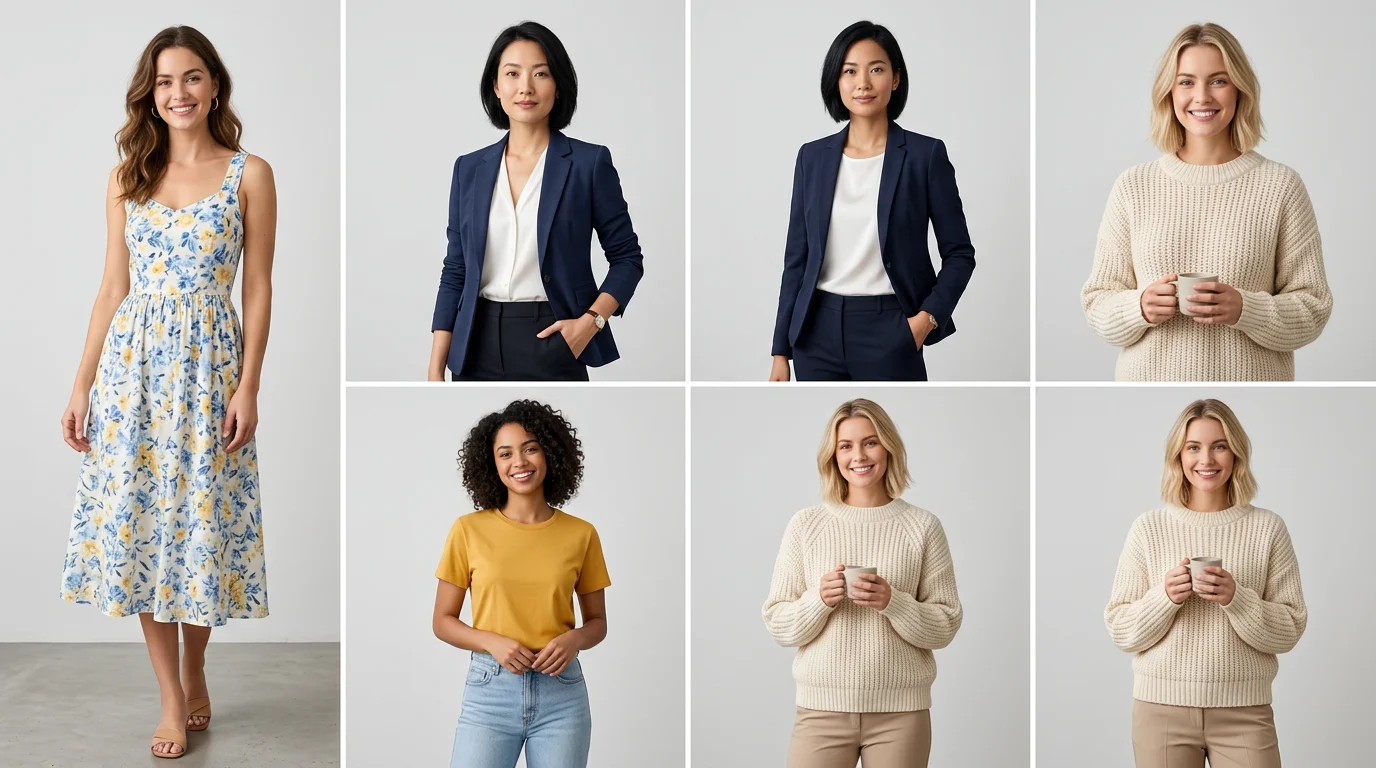
For fashion and apparel brands, FlowPic's virtual try-on feature is particularly powerful. Upload your product and select from a range of body types, sizes, and skin tones to show how the garment looks on diverse models. This directly addresses one of the biggest conversion barriers in fashion ecommerce: shoppers who can't see themselves in the product.
Brands using virtual try-on imagery report that showing the same product on multiple body types increases purchase confidence across a wider customer segment — without the cost and logistics of booking plus-size models, petite models, and standard-size models for separate shoots.
Best product types for AI model photoshoots
- Apparel — t-shirts, dresses, hoodies, jackets, trousers. AI model rendering handles fabric drape and fit across garment types.
- Fashion accessories — scarves worn, hats on head, bags carried. The model provides scale and styling context.
- Jewelry — rings on hands, necklaces on neck, earrings worn. Context and scale are instantly communicated.
- Footwear — shoes and boots shown being worn show form, heel height, and styling options.
- Activewear — athletic fit and performance context are much clearer on a model in motion.
What it costs
FlowPic offers a free tier to generate your first images and paid plans starting at a fraction of what a single model booking costs. You can generate on-model images for dozens of SKUs in the time it would take to even confirm a model's availability for a studio shoot.
For a DTC brand with 50 SKUs needing 3 on-model shots each — 150 images total — the cost differential between a live shoot and FlowPic is often 10x–20x in FlowPic's favor, at comparable or superior visual quality.
Cost Comparison Table
Here's how the four methods stack up across real cost drivers for a typical fashion or accessories brand.
| Method | Setup Cost | Per-Image Cost | Time Per Image | Model Diversity | Quality Ceiling |
|---|---|---|---|---|---|
| Traditional model shoot | $500–2,000 (studio + crew) | $50–150 | Hours (scheduling, shoot, editing) | Limited (book separately) | Very high |
| Ghost mannequin | $80–600 (mannequin) | $5–25 (editing) | 30–60 min (shoot + edit) | None (no human) | Medium |
| Flat lay styling | $30–150 (props) | $0–15 | 15–30 min | None (no human) | Medium (depends on skill) |
| Stock model licensing | $0 (subscription) | $10–75 | 1–4 hours (compositing) | Limited to library | Medium (compositing artifacts) |
| AI model photoshoot (FlowPic) | $0 | Cents to low dollars | 60 seconds | Full control | High (photorealistic) |
Platform Requirements: Amazon, Shopify, and Instagram
Not all platforms treat on-model images the same way. Understanding where each platform wants what will help you prioritize which images to create first.
Amazon
Amazon's primary image requirements are strict: the main product image must be on a pure white background (RGB 255, 255, 255), product-only, with no models, props, or lifestyle elements. However, Amazon's secondary images — the carousel images that shoppers swipe through — are far more flexible.
For apparel and fashion categories specifically, Amazon allows and encourages on-model images in secondary positions. Many top-performing apparel listings on Amazon lead with a clean white background main image and use on-model shots for images 2–4 in the carousel to show fit, drape, and styling. This approach satisfies Amazon's technical requirements while maximizing the visual storytelling that drives conversions.
AI-generated images from FlowPic work well for both use cases: clean white background shots for the primary image and photorealistic on-model images for secondary positions.
Shopify
Shopify storefronts have no platform-level image restrictions — you control your store completely. On-model images consistently outperform product-only images as the primary listing image for apparel and accessories on Shopify stores. Many successful DTC brands on Shopify use on-model shots as the main product image and clean background shots as the secondary, which is the reverse of what Amazon requires.
For Shopify stores, the most impactful use of AI model photography is in the hero image — the first image shoppers see on a product detail page. Getting that image right has an outsized impact on add-to-cart rate.
Instagram and social commerce
Instagram is arguably where on-model imagery has the highest ROI. Fashion and lifestyle content on Instagram is predominantly model-forward — products worn, styled, and shown in context. Product-only images perform significantly below average in both organic engagement and paid ad results on the platform.
AI model images from FlowPic are formatted and resolution-appropriate for Instagram feed posts, Stories, and Reels thumbnails. For paid ads on Instagram and Facebook, lifestyle-forward on-model images consistently outperform white background product shots on click-through rate — often by 2x–3x.
For Etsy sellers, on-model or lifestyle shots in the primary listing position outperform flat lays in most apparel and jewelry categories. Etsy's algorithm also rewards listings with higher click-through rates, so more compelling imagery has a compounding SEO benefit on the platform.
How On-Model Photos Reduce Return Rates
Returns are one of the most painful cost centers in fashion ecommerce. Processing a return typically costs $10–30 per item when you factor in shipping, restocking, and the labor of inspection. Return rates for online clothing can run 20–40% for some categories. Any meaningful reduction in returns goes directly to margin.
The data on on-model photography and returns is consistent: when shoppers can clearly see how a garment fits — where the waistband sits, how long the hem falls, whether the shoulders are fitted or oversized — they make better purchase decisions. Better purchase decisions mean fewer "this wasn't what I expected" returns.
Specific improvements documented by fashion ecommerce brands include:
- Showing the same garment on multiple body types (enabled by AI model photoshoots with diverse model options) helps shoppers self-select the right size, reducing size-related returns.
- Showing fabric drape and movement — particularly important for flowy dresses, wide-leg trousers, and knitwear — helps shoppers understand texture and weight without touching the fabric.
- 360-degree or multi-angle on-model shots that show the back and side of a garment catch fit issues that a single front-facing shot misses.
For jewelry brands, on-model shots showing a ring on a hand with nail polish or a necklace on a specific neckline help shoppers understand scale — one of the most common sources of jewelry returns is "it was smaller than I expected."
With FlowPic, you can generate on-model images from multiple angles and on models with different body types in minutes — giving every shopper a better sense of whether your product will work for them before they buy.
FAQ
Are AI-generated model photos allowed on Amazon, Etsy, and Shopify?
Yes. Amazon, Etsy, and Shopify do not prohibit AI-generated images. Amazon's main image requirements focus on white background and product-only composition — rules that apply equally to AI-generated and traditionally photographed images. Secondary images, where on-model shots appear, have no prohibition on AI generation. Etsy and Shopify have no platform-level restrictions on AI-generated product imagery. Always review each platform's current seller guidelines for any category-specific rules.
Which product types get the most benefit from AI model photoshoots?
Apparel — particularly t-shirts, dresses, jackets, and activewear — benefits most because fit and drape are primary purchase drivers. Jewelry and accessories are a close second: on-model shots provide scale and context that product-only images cannot replicate. Beauty products benefit from lifestyle context rather than strict on-model imagery (though hand shots for nail polish, skin tone shots for foundation, and wrist shots for fragrance perform well). Home goods generally benefit more from lifestyle staging than on-model shots.
How does AI model photography compare in quality to traditional model shoots?
For most ecommerce use cases — product listings, paid ads, social content — AI model photography from FlowPic is indistinguishable from traditional model photography to the average shopper. Where traditional photography retains an advantage is in very high-fashion editorial contexts where the styling, art direction, and model personality are integral to the brand identity. For conversion-focused product imagery, AI model photos perform at parity with or better than mid-range traditional shoots.
Can I show my product on multiple body types with AI model photography?
Yes — and this is one of the most significant advantages of AI model photoshoots over traditional methods. With FlowPic, you can generate your product on models with different body types, skin tones, heights, and poses without booking multiple models or running multiple shoots. For fashion brands targeting diverse customer bases, this dramatically reduces the cost of inclusive representation in product imagery.
What kind of product photo do I need to upload to get good results?
FlowPic works with a range of starting images — a hanger shot, a flat lay, a ghost mannequin photo, or even a smartphone photo against a plain background. The cleaner and better-lit your source image, the better the output. For best results, upload a photo with the product clearly visible, minimal background clutter, and decent lighting. You do not need a professional source photo to get professional output images.
The Bottom Line
On-model product photography is no longer something that only well-funded brands can afford. Ghost mannequin and flat lay are solid, budget-friendly options for specific product types. Stock model licensing fills a middle ground but comes with compositing quality trade-offs. AI model photoshoots with FlowPic offer something none of the traditional alternatives can match: photorealistic on-model images generated from your product photo in 60 seconds, at a cost that makes sense for a single-product Etsy shop and a 500-SKU DTC catalog alike.
If you're currently running product listings with hanger shots, flat lays, or no model imagery at all, you're leaving conversions on the table every day. The gap between your current images and professional on-model photography is now 60 seconds wide.